
Ontario E-Filing: How to Submit Court Documents Online (2026 Guide)
As more legal processes move online, e-filing Ontario has become one of the most commonly used tools for law firms, paralegals, corporations, landlords, and individuals involved in litigation. Ontario’s Justice Services Online (JSO) system allows users to submit civil, family, small claims, and enforcement documents electronically, reducing the need for in-person courthouse visits. However, successful e-filing Ontario requires knowing which documents are eligible, how to format them correctly, and what pitfalls to avoid.
Select Serve and File Process Server Inc. assists clients across the province with e-filing Ontario, court filing, process serving, document preparation, and retrieval. Our team handles urgent filings, continuing record updates, affidavit preparation, and same-day rush processing. We provide fast, accurate, and cost-effective filing support for law firms, property managers, lenders, corporations, and individuals.
This comprehensive guide explains exactly how e-filing Ontario works, which documents can be submitted online, and best practices for avoiding rejection.
What Is E-Filing in Ontario?
E-filing Ontario allows litigants to submit court documents electronically using Ontario’s online filing portals. Depending on the case type, documents may be filed through:
- Justice Services Online (JSO)
- Civil Claims Online
- Small Claims Online
- Family Court Online portals
- Online enforcement systems (garnishments, writs)
Not all documents are eligible, so understanding the system is crucial for compliance.
Which Documents Can Be Submitted Through E-Filing Ontario?
Eligibility varies by court type.
1. Civil Court (Superior Court)
Eligible for e-filing Ontario:
- Claims and Applications
- Motion Records
- Affidavits
- Statements of Claim
- Defendant Responses
- Consent Orders
- Certificates of Service
- Some appeal materials
Ineligible documents require in-person filing, especially those requiring a judge’s signature or documents needing original wet-ink copies.
2. Small Claims Court
Eligible for e-filing Ontario:
- Plaintiff’s Claim
- Defendant’s Claim
- Notice of Motion
- Affidavits
- Settlement conference materials
- Request to Clerk forms
Most enforcement documents (garnishments, writs) can also be filed electronically.
3. Family Court
Family Court allows e-filing Ontario for:
- Form 8 (Applications)
- Motion to Change
- Financial Statements
- Case Conference Briefs
- Confirmations
- Affidavits
- Consent Motions
However, documents requiring original signatures, endorsements, or urgent in-person filing must still be filed at the courthouse.
4. Landlord–Tenant Board (LTB)
Although not part of the main JSO portal, the LTB has its own system where:
- L1
- L2
- T5
- Certificates of Service
- Notices (N4, N12, N13)
may be uploaded digitally. Timelines and fees vary.
How E-Filing Ontario Works (Step-by-Step Guide)
Below is the exact process to follow for effective e-filing Ontario:
Step 1: Prepare the Documents in PDF Format
Every document must be:
- In searchable PDF format
- Clean, legible, and text-based (not scanned images unless necessary)
- Organized with correct page numbering
- Signed and commissioned properly
- Combined logically into single PDFs when required
Incorrect formatting is one of the top reasons e-filing Ontario submissions are rejected.
Step 2: Confirm Filing Eligibility
Check:
- The court level
- Document type
- Whether signatures are required
- Whether the document requires a judge’s order
If the document is not eligible for e-filing Ontario, Select Serve and File can perform in-person filing across the province.
Step 3: Upload Documents to the Correct Portal
Depending on the matter, use:
- Civil Submissions Online
- Family Submissions Online
- Small Claims Online
- Enforcement Online
Each system has unique requirements for:
- File naming conventions
- Document categories
- Fee payments
- Certificate of Service uploads
Selecting the wrong portal will delay processing.
Step 4: Pay Filing Fees
Fees are paid through:
- Credit card
- Interac
- Corporate accounts (for law firms)
If payment fails, the system rejects the filing.
Step 5: Receive Confirmation Email
The e-filing Ontario system sends:
- Confirmation of submission
- Filing receipts
- Copy of filed documents
- Next steps (if applicable)
Lawyers and paralegals must save these confirmations as proof of timely filing.
Step 6: Serve Filed Documents (If Required)
Most court materials must still be served on the other party. A professional process server can:
- Serve documents
- Prepare the Affidavit of Service
- File affidavits online or in person
Select Serve and File provides combined service and filing support.
Benefits of E-Filing Ontario
1. Faster Filing Turnaround: Filings that once required courthouse visits now take minutes online.
2. Reduced Court Lineups: Useful for large cities like Toronto, Mississauga, Brampton, Hamilton, and Ottawa.
3. Accurate Submission Records: Electronic timestamps eliminate disputes about filing deadlines.
4. Remote Access for Law Firms and Corporations: Offices can file from anywhere in Ontario or even out of province.
5. Better Document Organization: Searchable PDFs simplify retrieval and archival.
Common Mistakes in E-Filing Ontario (And How to Avoid Them)
These errors frequently result in rejection:
- Uploading the wrong documents
- Missing signatures or commissioning
- Incorrect file names
- Submitting scanned images instead of searchable PDFs
- Failing to include a Certificate of Service
- Uploading ineligible document types
- Mixing multiple documents into one PDF incorrectly
- Using the wrong portal
Using trained professionals greatly reduces these errors.
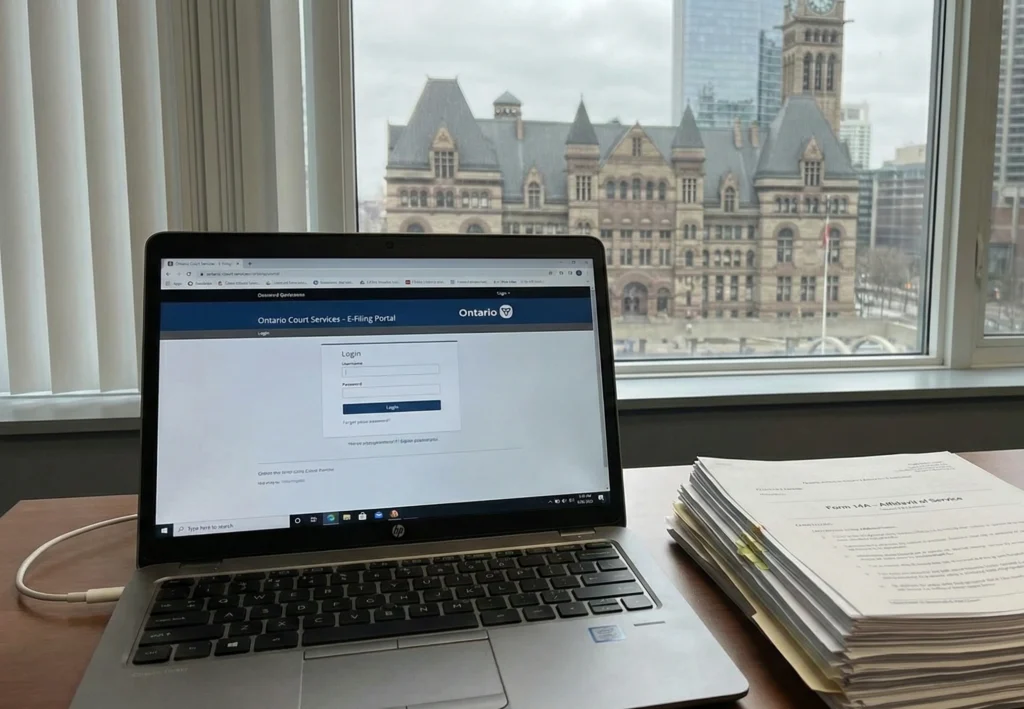
Real Example: Urgent Motion Filed Online Within 45 Minutes
A Toronto law firm contacted Select Serve and File with an urgent motion requiring filing before 4:00 PM. Our e-filing Ontario team:
- Reviewed and corrected formatting
- Combined documents into a clean, searchable PDF
- Submitted through the JSO Civil portal
- Received confirmation within minutes
- Filed the affidavit online afterward
- Served opposing counsel the same afternoon
The client met their deadline without attending the courthouse.
When E-Filing Ontario Cannot Be Used.
E-filing is not permitted for:
- Documents requiring in-person issuance
- Court orders needing a judge’s signature
- Original wills or estate certificates
- Certain criminal documents
- Urgent motions requiring same-day judicial review
- Documents requiring physical stamps or seals
In these cases, manual filing is mandatory. Select Serve and File provides both in-person and rush filing services across Ontario.
Why Work With Professionals for E-Filing Ontario?
Hiring a professional ensures:
- Compliance with court rules
- Zero formatting errors
- Faster acceptance
- Reduced rejection risk
- Combined service + filing
- Court retrieval support
- Rush filings within hours
Select Serve and File specializes in e-filing Ontario, process serving, and complete litigation support.
Disclaimer
This article provides general information only and not legal advice. For case-specific guidance, consult a lawyer or licensed paralegal.
Need Help?
If you need help with e-filing Ontario, court filing, process serving, affidavits, or document retrieval, Select Serve and File Process Server Inc. provides fast, accurate, and affordable support across the province. Contact us today.
FAQ
Civil, family, and small claims documents depend on the type and rules.
Most filings are completed within minutes, but complex submissions may take longer.
You will receive a notice explaining the issue. Correct and resubmit or use a professional.