
How to Prepare Court Documents for Service in Ontario: Full 2026 Checklist
Knowing how to prepare court documents correctly is essential to keeping any Ontario legal matter on track. Whether you are serving documents for Civil Court, Family Court, Small Claims Court, or the Landlord and Tenant Board (LTB), proper preparation ensures your documents are accepted, your affidavits are accurate, and your case moves forward without delays.
Select Serve and File Process Server Inc. helps clients across Ontario prepare court documents service, complete affidavits, perform process serving, skip tracing, e-filing, and in-person court filing. Our team handles documents for law firms, paralegals, landlords, corporations, banks, and individuals. We ensure that documents are formatted correctly, legally compliant, and served in accordance with Ontario rules.
This guide provides a detailed, step-by-step checklist explaining how to prepare court documents service properly for any Ontario legal matter.
Why Preparation Matters Before Serving Court Documents
Serving legal documents is more than handing papers to someone. Courts require:
- Correct formatting
- Accurate information
- The right number of copies
- Proper service method
- Verified addresses
- Correct affidavits
If any step is missed, your service can be rejected, and your hearing adjourned.
Professionals who prepare court documents service ensure compliance with:
- Rules of Civil Procedure
- Family Law Rules
- Small Claims Rules
- Residential Tenancies Act (LTB)
Step-by-Step: How to Prepare Court Documents for Service
Step 1: Identify the Court and Document Type
The first step in preparing court documents service is knowing which court your matter belongs to:
1. Civil Court (Superior Court)
- Statements of Claim
- Motion Records
- Applications
- Affidavits
2. Family Court
- Form 8 Application
- Case Conference Briefs
- Motion to Change
- Financial Statements
3. Small Claims Court
- Plaintiff’s Claim
- Defendant’s Claim
- Notice of Motion
4. Landlord & Tenant Board (LTB)
- N4, N12, N13
- L1, L2
- Certificates of Service
Different courts have different formatting and service requirements.
Step 2: Verify the Respondent’s Address
Incorrect addresses cause major delays.
Before you prepare court documents service, verify:
- Residential address
- Workplace address
- Unit or suite number
- Building access requirements
If unsure, skip tracing should be completed before service attempts.
Select Serve and File provides professional skip tracing support across the province.
Step 3: Ensure Documents Are Complete and Signed
Documents must be complete before being served.
Check for:
- Missing pages
- Missing schedules
- Incorrect dates
- Missing exhibits
- Missing signatures
- Missing commissioning (for affidavits)
- Incorrect form numbers
- Wrong court file number
Mistakes here will result in a filing rejection.
Step 4: Combine and Organize Documents Properly
Organizing papers is a key part of prepare court documents service.
Civil and Family Documents
- Use correct backsheets
- Number pages
- Tab exhibits
- Prepare motion records in parts (Notice, Affidavit, Exhibits, Factum if needed)
- Ensure everything is hole-punched for filing
Small Claims Documents
- Use newly updated forms
- Ensure correct plaintiff/defendant names
- Include any attachments
LTB Documents
- Ensure the termination date is correct
- Use the exact rent amount for N4
- Attach all supporting schedules
Step 5: Prepare the Correct Number of Copies
Most Ontario courts require more than one copy.
Civil Court
- Original + 2 copies
- Additional copies for motion records
Family Court
- Original + copies for continuing record
- Extra copy for judge (sometimes)
Small Claims Court
- Original + one copy per party
LTB
- Copy for tenant
- Copy for landlord records
Failure to include enough copies can cause delays.
Step 6: Attach Required Supporting Documents
Before you prepare court documents service, ensure you include:
- Exhibits
- Financial statements
- Proof of income (family matters)
- Supporting affidavits
- Rent ledgers (LTB cases)
- Order history
- Previous filings
Incomplete files are often rejected.
Step 7: Confirm the Correct Method of Service
Different documents require different methods.
Personal Service Required For:
- Civil Claims
- Summons and Subpoenas
- Many Family Court materials
Substituted/Mail/Email Service Allowed For:
- Some Small Claims documents
- Certain Family Court documents (with consent)
- LTB documents (posting/mailing allowed)
Professionals who prepare court documents service know which method applies.
Step 8: Prepare Affidavit Templates Ahead of Time
Every service requires a corresponding affidavit.
Common Ontario Affidavit Forms:
- Form 16B (Civil)
- Form 6B (Family)
- Form 8A (Small Claims)
- LTB Certificate of Service
Servers must record:
- Date
- Time
- Method of service
- Identity confirmation
- Description of recipient
Select Serve and File prepares, commissions, and files affidavits on behalf of clients.
Step 9: Prepare for Courthouse Filing
After service, many documents must be filed.
Court filing requires:
- Properly assembled continuing record (Family Court)
- Updated Table of Contents
- Correct backsheets
- Filing fee payment
- Review of page limits
Professionals ensure documents are accepted the first time.
Common Mistakes When Preparing Court Documents for Service
1. Missing Pages or Attachments: Courts will reject incomplete documents.
2. Wrong Person Named in Documents: All names must match the legal ID or lease.
3. Incorrect Court File Number: Even one digit off can cause rejection.
4. Incorrect Termination Dates (LTB): One of the most frequent errors in landlord–tenant cases.
5. Not Reviewing Service Rules: Each court has its own requirements.
6. Not Preparing Affidavits Beforehand: Leaving affidavit preparation to the end delays filing.
7. Not Using Professional Help: Many self-represented litigants lose time or get rejected due to errors.
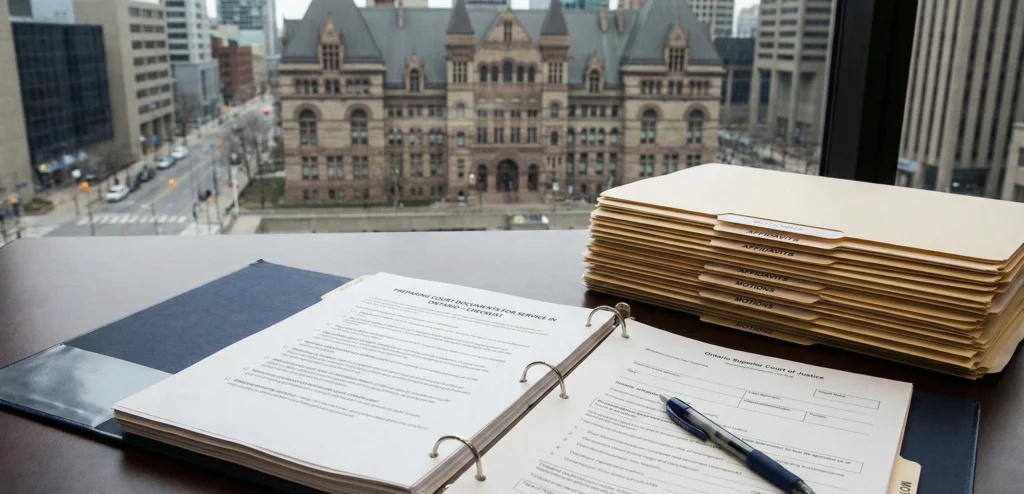
Real Example: Court Documents Prepared Incorrectly
A client attempted to file a motion record at 47 Sheppard Ave, but:
- Pages were out of order
- Exhibits were not tabbed
- Backsheet was missing
- Affidavit was not commissioned
The clerk rejected the filing.
Select Serve and File:
- Reassembled the record
- Added a proper backsheet
- Commissioned the affidavit
- Filed the motion successfully that same day
This shows why properly preparing court document service steps is essential.
Professional Help Saves Time and Prevents Mistakes
A trained professional can:
- Review all documents
- Correct formatting
- Prepare affidavits
- Serve documents
- File court materials
- Retrieve missing records
- Assist with skip tracing
This streamlines your legal workflow.
Select Serve and File specializes in full legal-support services across Ontario.
Connect Us Today
If you need assistance to prepare court documents service, including organization, serving, affidavits, filing, or retrieval, Select Serve and File Process Server Inc. is ready to help. Contact us for fast, accurate support anywhere in Ontario.
FAQ
Identifying the correct court and document type.
Yes. Most courts require originals and multiple copies.
Only with consent or court permission.